> For the complete documentation index, see [llms.txt](https://guide.lunabudgeting.com/llms.txt). Markdown versions of documentation pages are available by appending `.md` to page URLs; this page is available as [Markdown](https://guide.lunabudgeting.com/features/budgeting.md).
# Budgeting
How budgeting works in Luna (weekly/monthly categories, savings categories, turning budgeting off)
## How does budgeting work in Luna?
Budgeting in Luna is very simple.
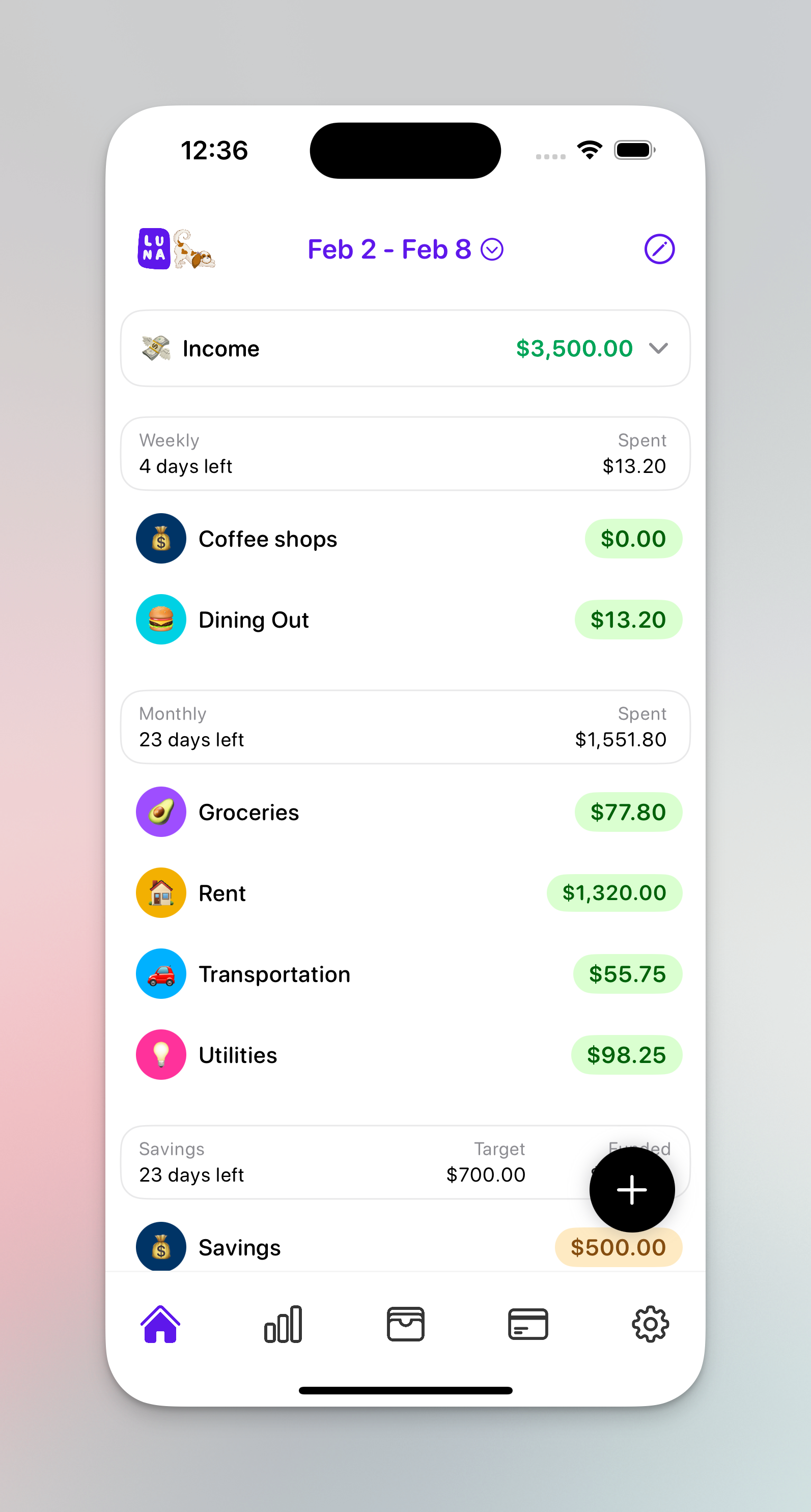
You create categories with budget goals and as you spend money we'll show you if you are over/under your budget for that month/week.
Luna is unique because it lets you create a weekly/monthly budget and shows both to you at the same time.
Budget screen
## Weekly vs Monthly budgets
Most budgeting apps just support monthly budgeting, but Luna allows you to create weekly categories as well.
This is great for categories you are more likely to overspend on towards the beginning of the month.
For example: a lot of people make their "eating out" budget a weekly budget rather than a monthly one because it helps them space out their spending evenly throughout the month.
$30/week sounds like a lot less than $120/month doesn't it :sweat\_smile:
Weekly/Monthly budgets
## Savings categories and budgeting
Luna was originally built without savings categories in mind (and if the primary purpose is to help you reduce spending, you don't really need to use it).
However, some people want to keep track of how much they are saving and you can do that by creating a savings category.
{% hint style="info" %}
This category will appear on the home screen and acts a little differently than the weekly/monthly categories.
{% endhint %}
The amount for these categories is more of a "goal" and when you add expenses to this category its actually a good thing. It means you are "funding" this category rather than taking way from it. So you'll see the right hand column represents how much you have "funded" into the category.
Luna savings category
## Why would I turn off budgeting?
You can actually turn off budgeting in Luna if you don't need it.
Some people don't actually care setting limits/goals and hitting them but want to use Luna purely as an expense tracker. Just to keep an eye on how much they are spending.
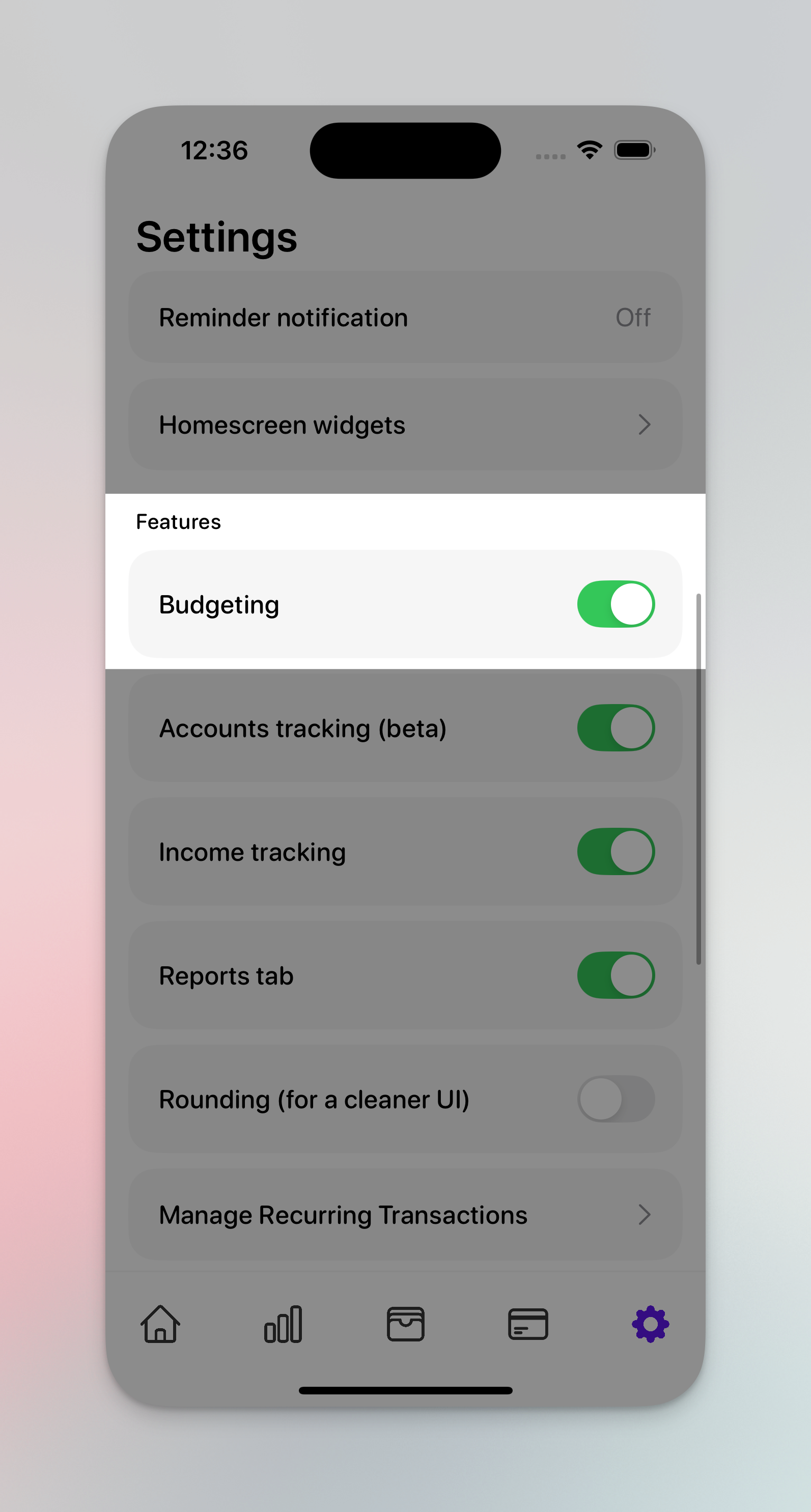
You can do this by turning off in settings. Doing this will remove the "Left" and "Funded" column on the homescreen and remove the "target" amount when creating a category.
{% hint style="info" %}
Turning this on/off will not delete any data. It simply hides it from the interface and you can turn it back on whenver you want
{% endhint %}